xAI
Ani AI companion vanished from Grok app? Here’s what to do

xAI is rapidly pushing new updates to the Grok app for the iOS platform, and some of these might hinder your AI companion experience, including vanishing Ani.
I’ve recently seen many X users report that the app has removed Ani from the Grok companion section, leaving only Rudi at service. I’ve also encountered the same problem but only in one scenario while enabling Kids mode. After that, no matter how many times you toggle on/off, Ani doesn’t appear back. However, I’ve found a reason that is causing this irregularity.
This could be due to the age restrictions; you need to verify your age with the Grok app to Ani. Set your age by going into settings, tapping on the profile picture, and selecting the BIRTH YEAR. Complete this selection, and your age must match the mature content policy to see NSFW companions.
Once completed, you will see “Enable NSFW” option under the Voice settings. Enable that and you will now see Ani in the companions section. To ensure a smooth experience, download the latest Grok app version from the App Store.
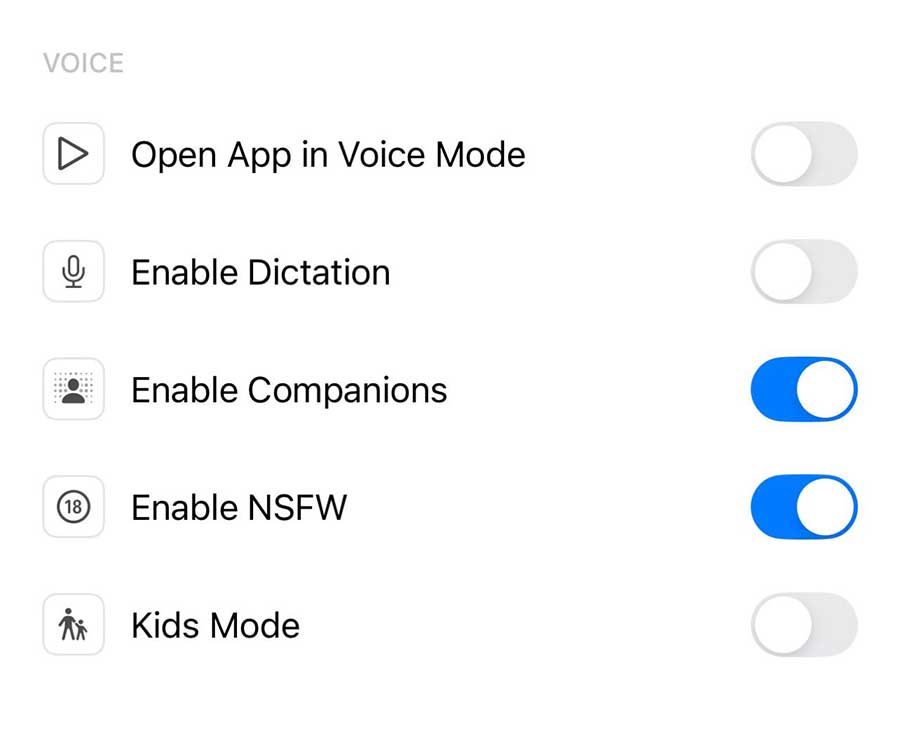

Grok companion has gone through these specific changes after reports of Ani appearing in kids modes emerged online. This strict age policy will ensure that the mature content stays out of the Kids specific user mode.
Grok currently offers two companions Ani and Rudi, the former is a female anime-style 3D animated character and the latter is a fluffy red panda. Among these Ani is quite popular for her voice interactions. You can try AI companion mode for free via Grok app.