xAI
xAI Grok gets ‘Default’ prompt setting to Imagine videos on your behalf

xAI is rolling out a default option for the Grok Imagine feature, allowing users to give the AI the front seat and let it choose the best animation for videos.
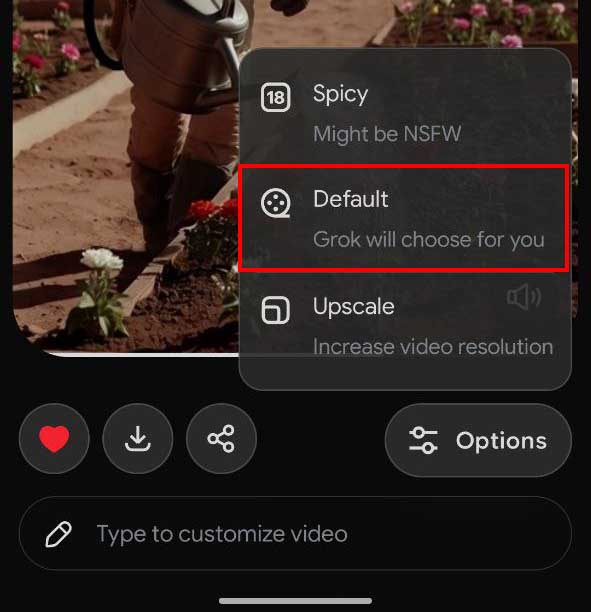
With the latest Android app update, xAI has released the Default settings inside the options. The option description reads “Grok will choose for you,” and it literally follows this description.
Once pressed, Grok will start generating a new video based on the selected image. This feature also works on existing videos from the favorites, but I’ve found that the default option doesn’t appear on all videos. This feature reduces the hassle of entering a prompt manually, and Grok will generate a video description that fits the image or the video.
The default prompt works best by all means; you will see this in subject movement, background, as well as camera angles. All of these important factors are well-versed in Grok’s default mode compared to manual input.

This may be due to the image analysis, which Grok has been performing better than before, thanks to its Imagine model upgrade.
Imagine is powered by the Grok AI, allowing users to generate short videos based on a text description. In the recent update, the xAI team has pushed the text-to-video feature, which removes the requirement of generating the image in the first place.
Grok app already offers video generation options such as NSFW, Fun, and Normal. These three options work accordingly. However, the default mode now handles the video generation on your behalf.
xAI is releasing the default Imagine option for the Grok Android app with the latest update. However, the iOS app still requires you to select the mode manually.