Apple
iOS 18.1: Here are the five Apple Intelligence features to try first

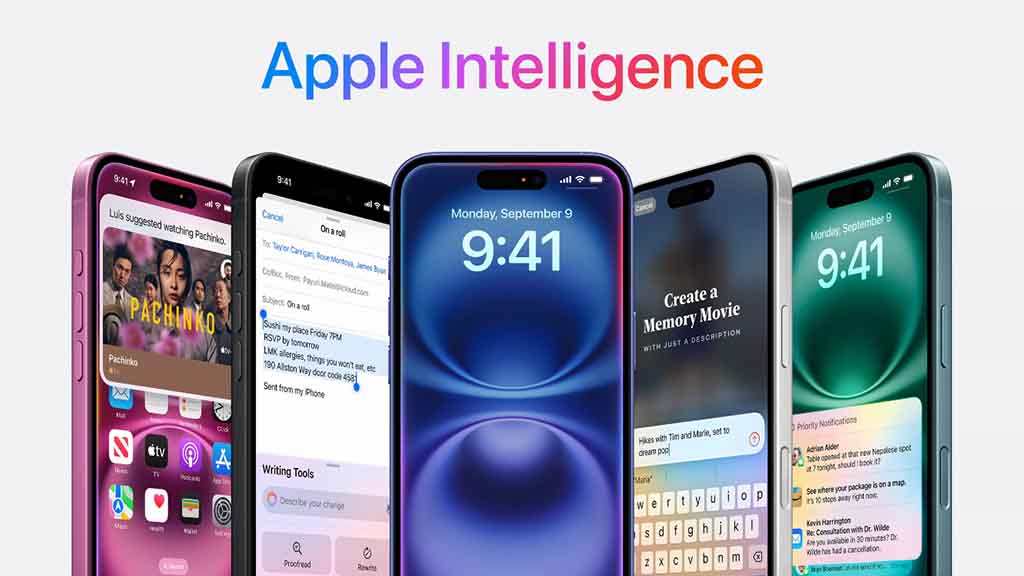
iOS 18.1 comes with Apple Intelligence and these are the five new generative AI features you should try after installing this software update on your iPhone.
Apple has limited new AI capability to six devices including iPhone 16, 16 Plus, 16 Pro, 16 Pro Max, 15 Pro, and 15 Pro Max. If you have these devices, you can dive straight into new additions.
These are the five interesting Apple Intelligence features coming with iOS 18.1
- Writing tools
- New Siri UI
- Email summary
- Priority Notifications
- Call Recording and Summary
Writing Tools
It helps you improve text content for different conditions, scenarios, or use cases. This tool is available on the keyboard via the Apple Intelligence button. Once activated, you will see options to describe the changes via text or voice. Other options on the screen are:
- Proofread,
- Rewrite
- Change Tone (to Friendly, Professional, and Concise)
Furthermore, you can turn the selected text into a summary, and key points, and create a table or list. Writing tools are available throughout iOS for any text editing app including Notes.
New Siri UI
Siri has a new user interface and animations with modern design and the company has improved interactions with type to enter text. However, Siri will still remain old underneath.
Summary
Apple Intelligence can create summaries of on-screen text and help you to understand long text in easy content. You can try this in email and other apps.
Priority Notifications
Apple Intelligence shows important notifications on top such as invitations, messages, or reminders so you don’t miss any. Interestingly, these notifications will be summarized to show key content from the lock screen.
The new focus mode reduces interruptions and only shows you the ones that require your attention.
Call Recording
Apple finally has a recording feature for new iPhones. You can tap on the record button during a call to get started. Once recorded, you can check the transcript of your conversation.