
xAI
xAI Grok can now generate images with aspect ratio

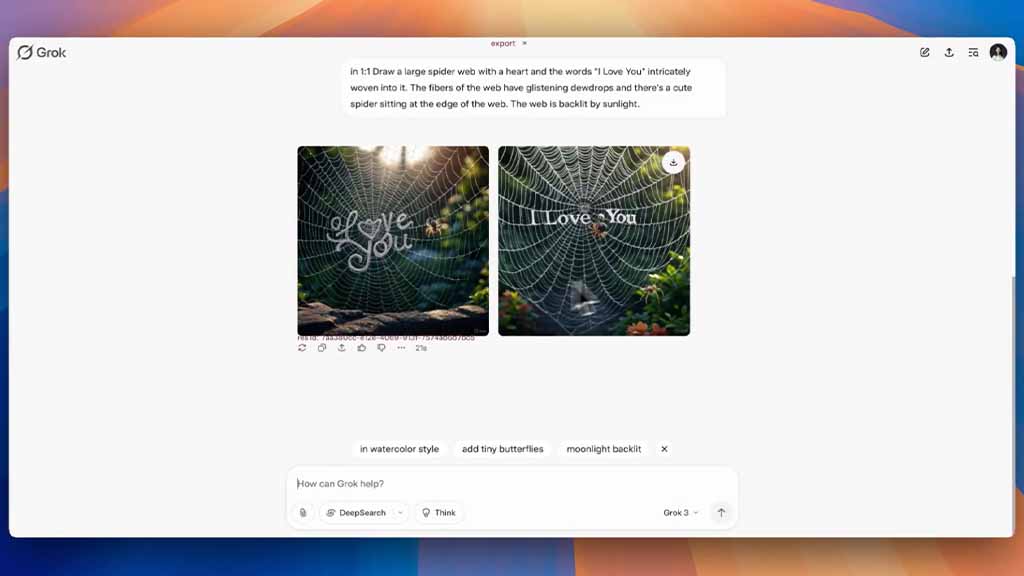
xAI is rolling out a new feature that allows Grok users to generate images with their desired aspect ratio, further assisting in creative tasks without requiring an extra editing tool.
In the past year, Grok has improved the image generation quality and made this AI more context-aware, thanks to the Aurora model. However, xAI continues to add new features to the chatbot, including the latest.
To create images with an aspect ratio, write a prompt including the description of the ratio. You can write it anywhere in the prompt without worrying about the placement. Grok will take a few seconds to finish the work and come up with results. That’s it, you can download the generated images and use them.
Still, there’s plenty you can do with generated images. For example, tweaking the image style with different styles. The chatbot will also suggest more editing prompts with a one-tap application.
You can go even deeper into this segment by selecting the editing tool with the “Edit” feature. To be mentioned, Grok may show you usage limitations while generating aspect ratio images in free mode.
(source)





