xAI
xAI Grok bringing Files feature with a file manager and editing tools

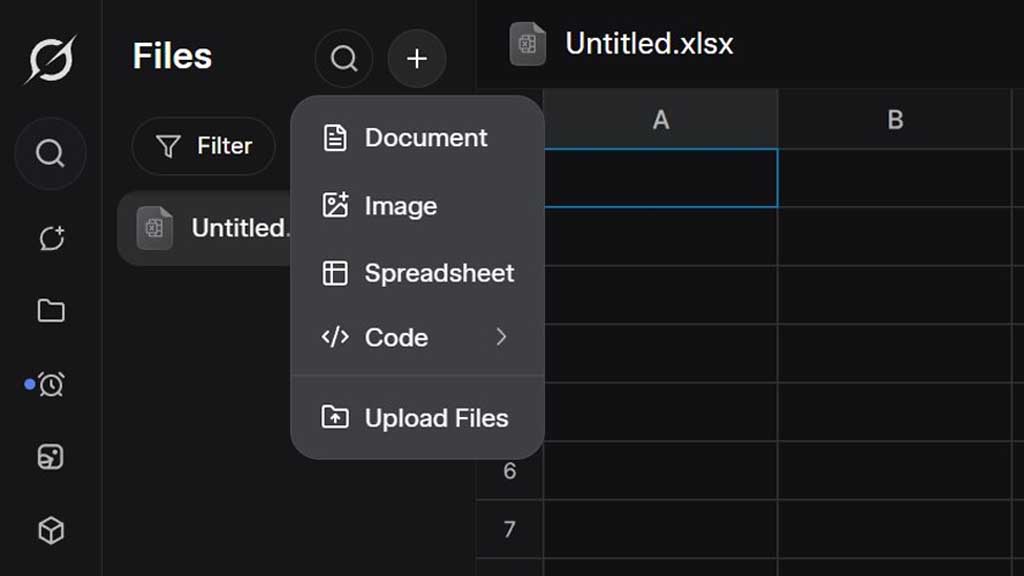
Grok works as a conversation chatbot that completes the user-based prompt but xAI is planning to make it more useful with a new feature called Files.
As for now, Grok lets you create different types of files, and you need to download these to your device or search your previous prompts in the history to get back to them. However, files will change this thing completely thanks to its new utilities.
According to @techdevnotes and @nima_owji, Files has a separate interface that will host different types of extensions. You can create the following types of files and edit them in real-time with an AI editor.
- Document
- Image
- Spreadsheet
- Code
This feature also lets you upload files on Grok of supported extensions.
Here’s how it works
The interface has three sections: file manager (left), editor (middle), and file chat (right). Users can generate a file with the + button on the top left section to create a document. It will be added to the file manager as a blank document.
The editor screen allows you to write manually with styling tools, or you can go to the file chat to write content for you. All you need to do is describe the content similar to a regular conversation, and it will be added to the new document. This document will be fully editable.
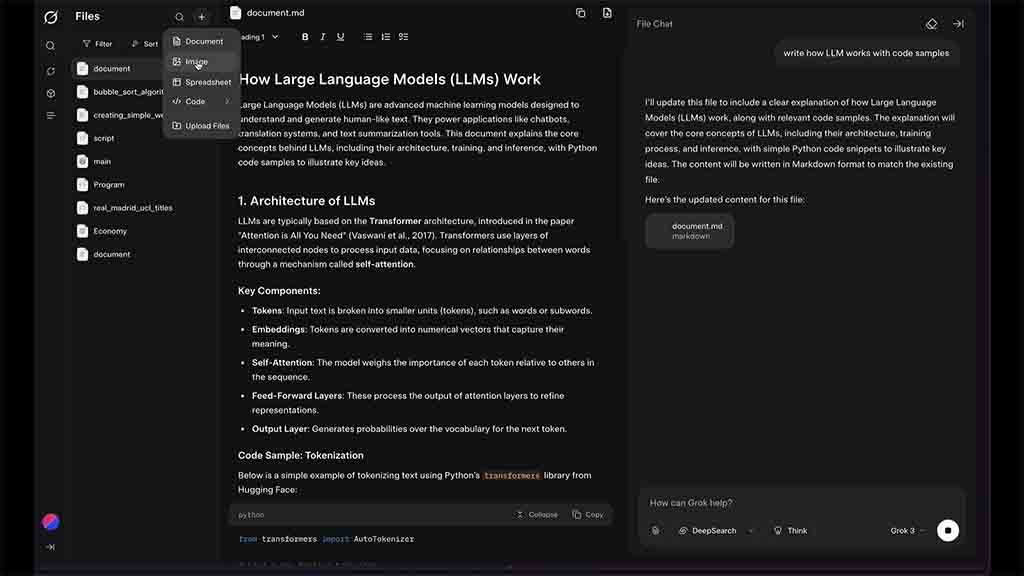
xAI Grok files a new document (Source – @techdevnotes)
That’s one part, next you can create a complete spreadsheet, and an editor for such a document also opens when you select this file type. You can generate images with a prompt and edit them with different styles.
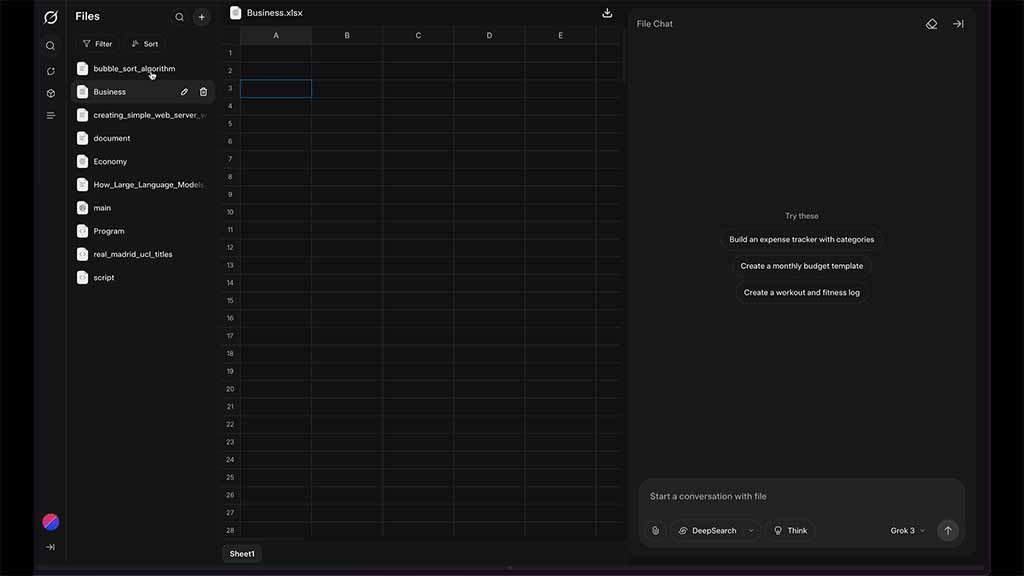
xAI Grok spreadsheet (Source – @techdevnotes)
Furthermore, programmers have the option to generate C++, C#, Go, HTML, Java, JavaScript, Python, Ruby, Rust, and TypeScript. You can type the prompt, and it will feed the code into the new file.
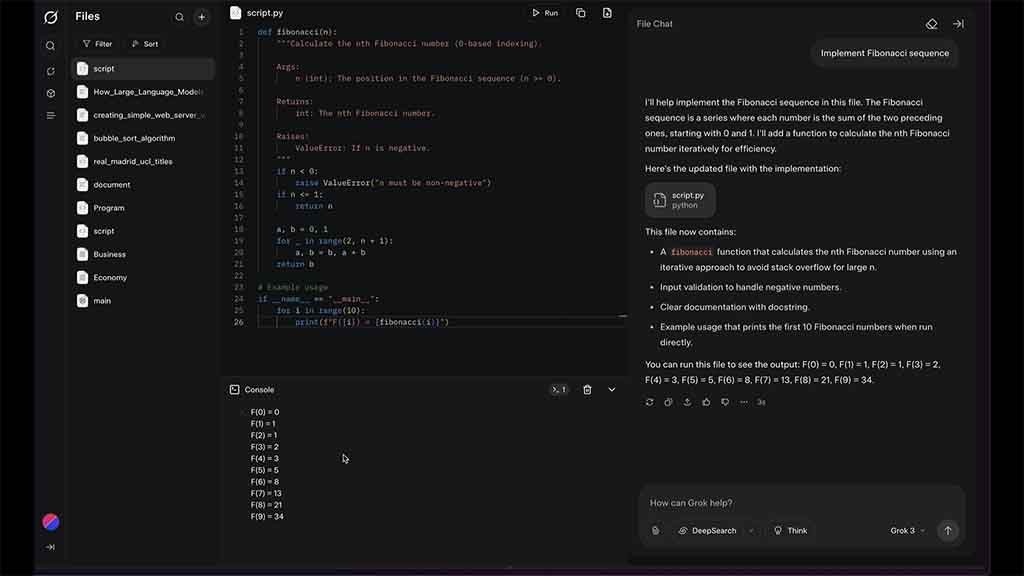
xAI Grok code files (Source – @techdevnotes)
What’s more convenient is that programmers can run this new code inside Grok with a push of a button.
A few things to know that the file manager section has search, sort, and filter options to ease the file discovery. However, it would become more convenient if xAI introduced folders inside the directory. This will be more convenient for file grouping.