Tesla
Check Tesla FSD (Supervised) v14.1 release notes

Tesla is sending FSD (Supervised) v14.1 build for users with software update version 2025.32.8.5, and here are the full release notes and additions that you will see after installing the OTA, and also the upgrades that will come in the near future.
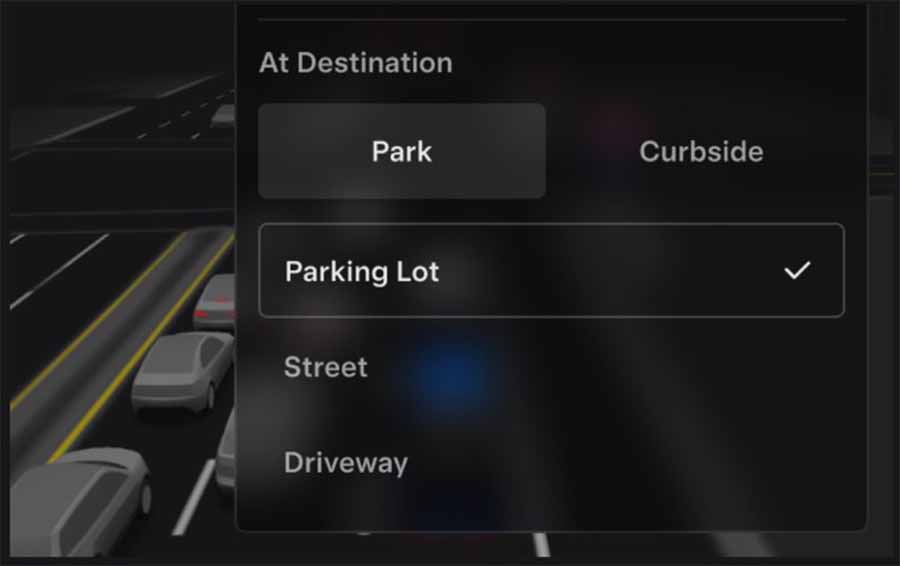
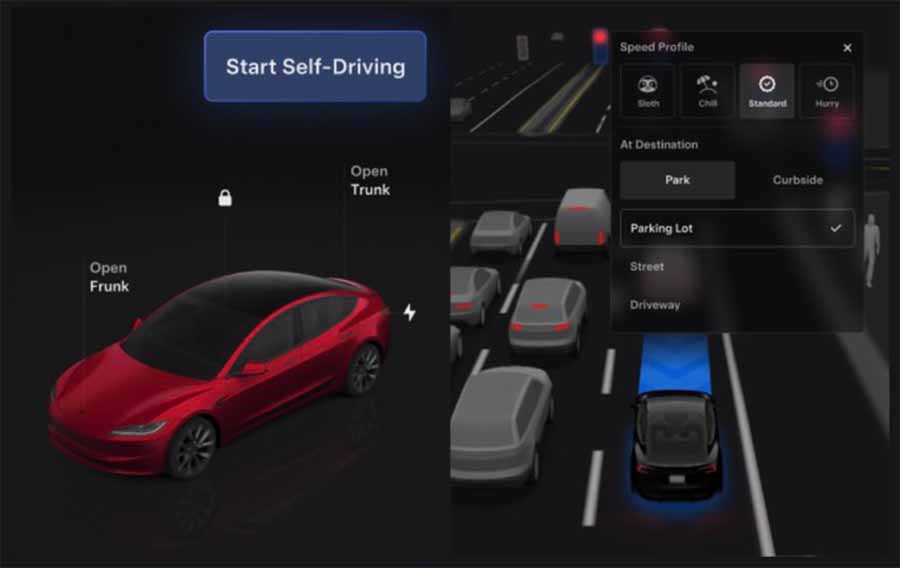
- Added Arrival Options for you to select where FSD should park: in a Parking Lot, on the Street, in a Driveway, in a Parking Garage, or at the Curbside.
- Added handling to pull over or yield for emergency vehicles (e.g., police cars, fire trucks, ambulances).
- Added navigation and routing into the vision-based neural network for real-time handling of blocked roads and detours.
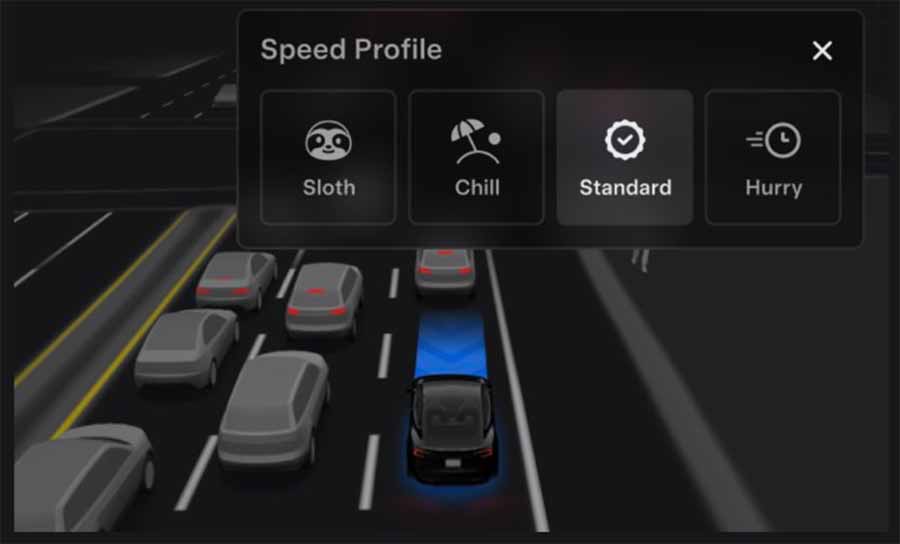
- Added an additional Speed Profile to further customize driving style preference.
- Improved handling for static and dynamic gates.
- Improved offsetting for road debris (e.g., tires, tree branches, boxes).
- Improve handling of several scenarios, including unprotected turns, lane changes, vehicle cut-ins, and school buses.
- Improved FSD’s ability to manage system faults and recover smoothly from degraded operation for enhanced reliability.
- Added automatic narrow field washing to provide rapid and efficient front camera self-cleaning, and optimize aerodynamic wash at higher vehicle speeds.
- Added alerting for residue build-up on the interior windshield that may impact front camera visibility. If affected, visit the Service for cleaning!
Upcoming Improvements:
- Overall smoothness and sentience
- Parking spot selection and parking quality
Arrival Options Details
- You can now select an arrival option such as Parking Lot, Street, Driveway, Parking Garage, and Curbside for Robotaxi-style drop-offs.
- Your preferences for arrival options and preferred parking positions are persisted for each destination.
- Our reasoning model will assess the suitable options for your destination and pick an intuitive default.
Screenshot
New Speed Profile
- FSD (Supervised) will now determine the appropriate speed based on a mix of driver profile, speed limit, and surrounding traffic:
- Introduced new Speed Profile SLOTH, which comes with lower speeds & more conservative lane selection than
CHILL. - Driver profile now has a stronger impact on behavior. The more assertive the profile, the higher the max speed.
- Right scroll-wheel up/down now adjusts the Speed Profile setting rather than your precise max speed offset selection in mph/kph.
Screenshot
UI Improvements
- Start Self-Driving with a tap of the touchscreen from Park, or any time during your drive.
- Adjust settings like the Speed Profile and Arrival Options directly from the Autopilot visualization on the center display.
Screenshot
Brake Confirm
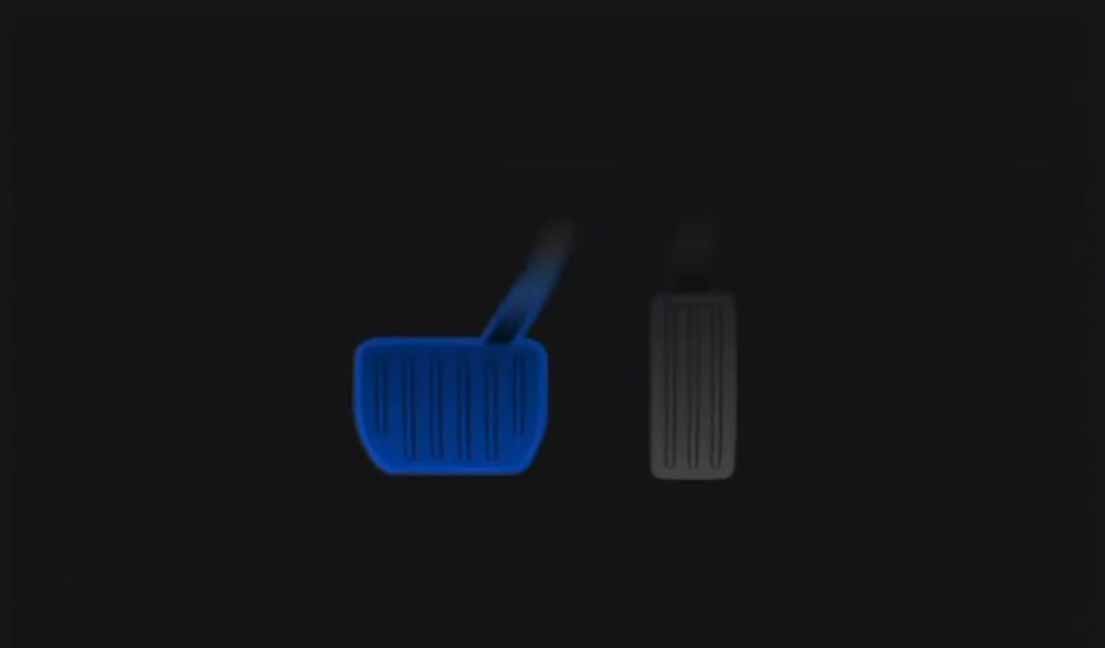
Brake Confirm for the Start Self-Driving button is now defaulted off. When disabled, Start Self-Driving will not require you to press and release the brake to confirm engagement. You can enable Brake Confirm in Autopilot > Brake Confirm.
Screenshot