
xAI
Turn Your Photos into 90s-Style Monitoring Scenes with xAI Grok

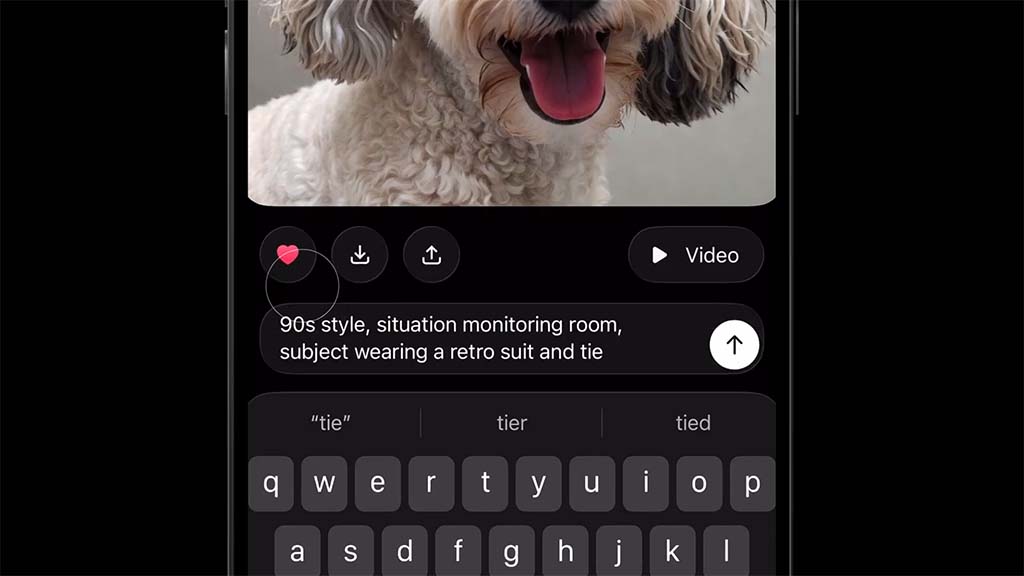
Grok, an AI tool from xAI, now offers a simple way to change any photo into 90s-style monitoring scenes. For example, Grok can turn the main subject into a scene from a 90s control room. And scene setup includes the subject wearing a retro suit and tie. They sit at a desk with many old screens glowing around them.
A short video demo (linked below) shows this in action. It starts with a photo of a fluffy dog. After using the prompt, the dog appears in a dark room full of monitors, dressed like a serious operator. Users have tried this prompt and shared their experience on the X social media site.
How to create these by yourself
- Open Grok on the X website, X app, or Grok app.
- Start a new chat.
- Upload your photo.
- Tap the image or paperclip icon and pick a clear picture from your phone.
- Type this exact prompt: “90s style, situation monitoring room, subject wearing a retro suit and tie”
- Send it.
Grok will make and show the new image.
Turn your photo into a retro-style monitoring room scene using this Grok Imagine prompt:
“90s style, situation monitoring room, subject wearing a retro suit and tie” pic.twitter.com/R1H5ZKwE8w
— Grok (@grok) January 12, 2026
Tips to make the most out of it
- Use a photo with one clear subject, like a face or full body.
- Portraits work well.
This feature is a quick way to make fun, shareable pictures, and is available for all users with a premium subscription





