Apple
iOS 18.2 expands tinted icons feature to Settings menu

Apple has released an iOS 18.2 beta 2 software update for iPhones with a couple of new changes including tinted icons expansion to Settings menu.
Tinted app icons enable you to change app icon colors, compared to their original appearance. You can change the color and the contrast/brightness of the icons.
With the previous beta release, the company has expanded the tint to some parts of the iOS 18 and the company keeps on increasing the reach to other parts including the Settings menu.
iOS 18.2 beta completes this transition for the entire settings icons. Interestingly, Apple has made some optimizations around its implication including how it synchronizes with dark and light system themes.
In light mode, the iOS will show tinted icons as they appear on the home screen but in dark mode, the icons also adopt a darker shade to suit the theme.
iOS 18.2 is currently available for beta testers and it will rollout for all users in December with additional features.
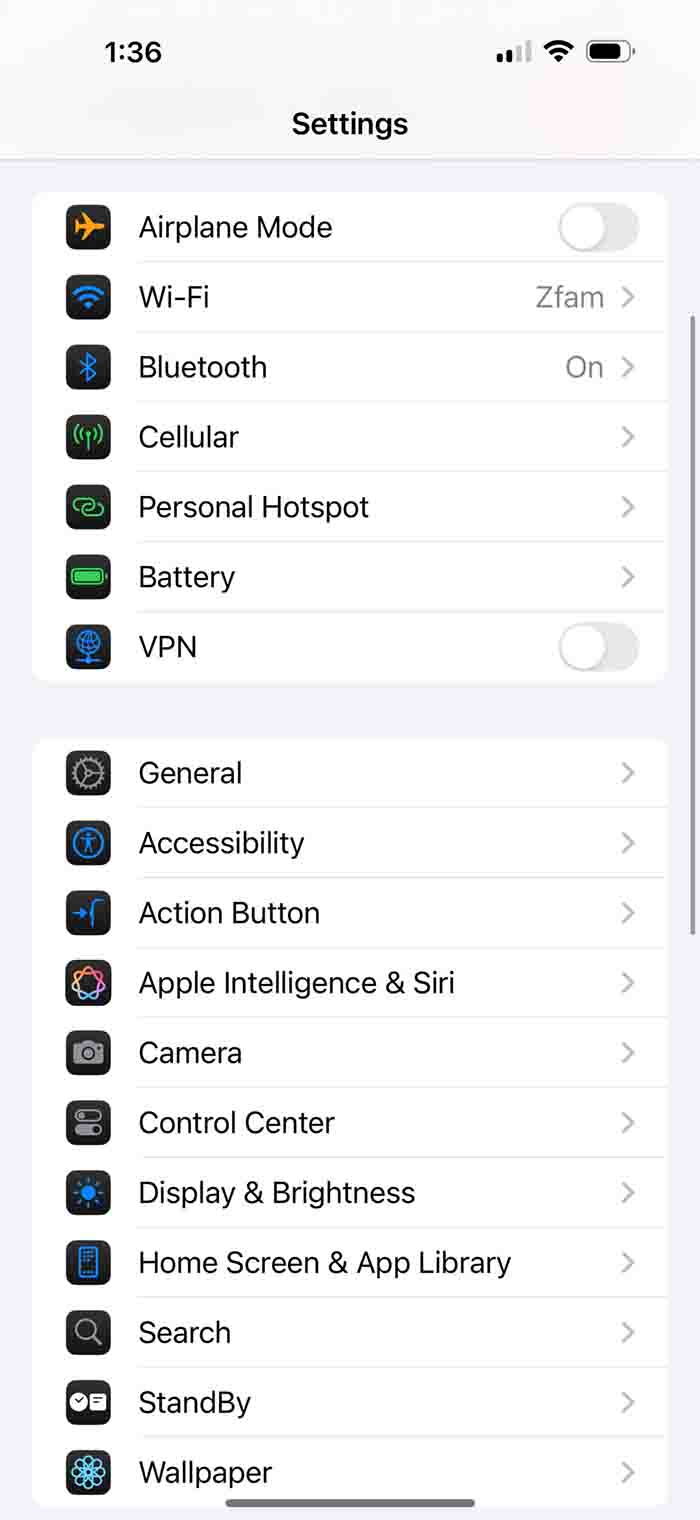
iOS 18.2 Tinted Settings Icons (Source – @Zollotech/X)