Anthropic
Anthropic releases new improvements to Claude Code and Claude app

Anthropic has released new improvements and upgrades to Claude Code and the app platform, including new communication styles. The output has two new styles to help students and developers build skills, including:
- Explanatory – Claude will explain its reasoning step-by-step
- Learning – You can take turns coding with Claude
The explanatory shares the reasoning behind architectural decisions, explaining trade-offs, and teaches you best practices as it codes.
The learning method occasionally pauses and asks you to code some of the to-do tasks. It works like pair programming with a teacher who helps you learn while getting real work done.
You can change the output style with Run /output-style to access the menu or Run /output-style [style] , such as /output-style explanatory , to directly switch to a style.
These changes apply to the local project level and are saved in .claude/settings.local.json.
Today we’re launching new ways to learn in Claude Code and the Claude app.
First up: Claude Code now lets you customize communication styles with /output-style pic.twitter.com/vU6p8cIZbF
— Claude (@claudeai) August 14, 2025
Anthropic has also confirmed that the learning style is now available to everyone. You can select it by going into Learning style in any chat to have Claude guide you through hard concepts rather than providing immediate answers.
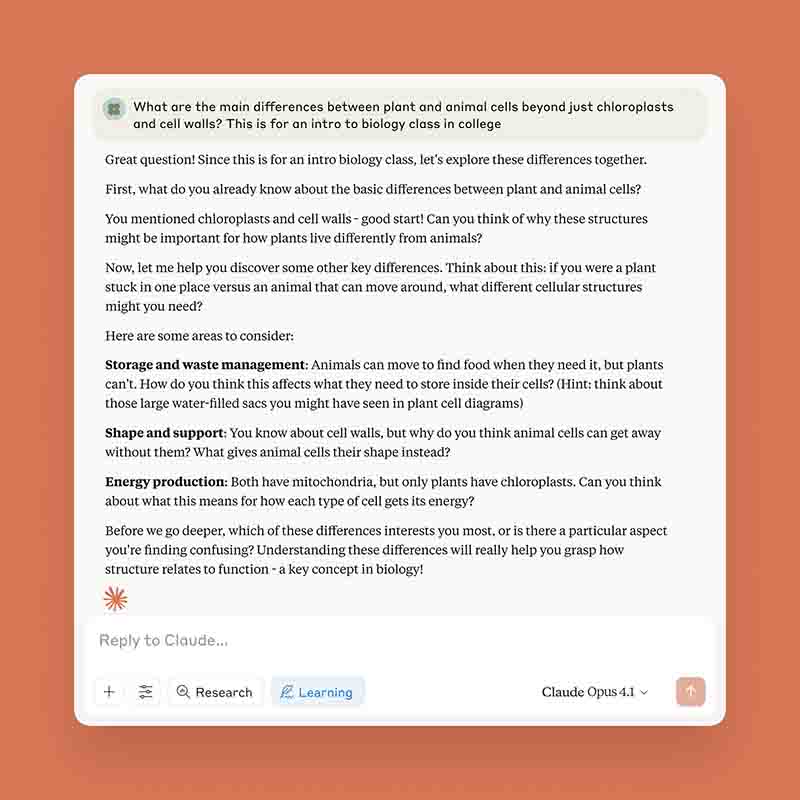
Anthropic Claude Learning Style