
News
Grok Tasks feature gets powerful Tools with connected apps

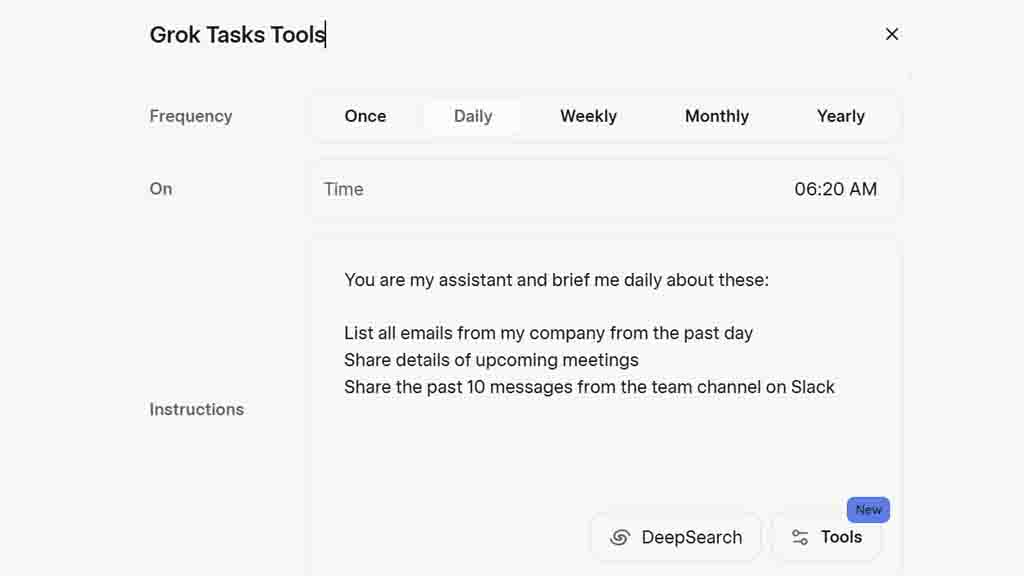
Grok AI has just received one of its biggest upgrades, and it’s falling under the tasks feature, allowing you to use tools that help to make the most out of this AI model.
Tasks is an amazing feature to automate a prompt at a specific time. For example, you can tell Grok to send you weekly news about Tesla or daily reminders about checking something on the web. Once completed, Grok will send you notifications through the app or email.
The new tools let you use connected app services with automated tasks, making this capability even more useful.
For example, you can chat in Slack channels, manage emails, and keep calendar events in check, making Grok your assistant, who can repeat these tasks over and over.
A broader approach in this segment will look like this prompt.
“You are my assistant, and you brief me daily about these:
- Check my recent emails from Gmail
- List all emails from my company from the past day
- Share details of upcoming meetings
- Send a message saying Good Morning to the team Slack channel.”
These are just a few tiny examples of a wide variety of prompts brought by tools for Grok tasks. Once added, you need to automate this task, and Grok will execute it at a selected time or date.
This connected app support is a powerful integration for tasks and provides users with a more mainstream workflow without leaving the platform. Tools for tasks are now available on grok.com for all users, including free ones.





