
xAI
Aspect Ratio feature is coming to xAI Grok Imagine

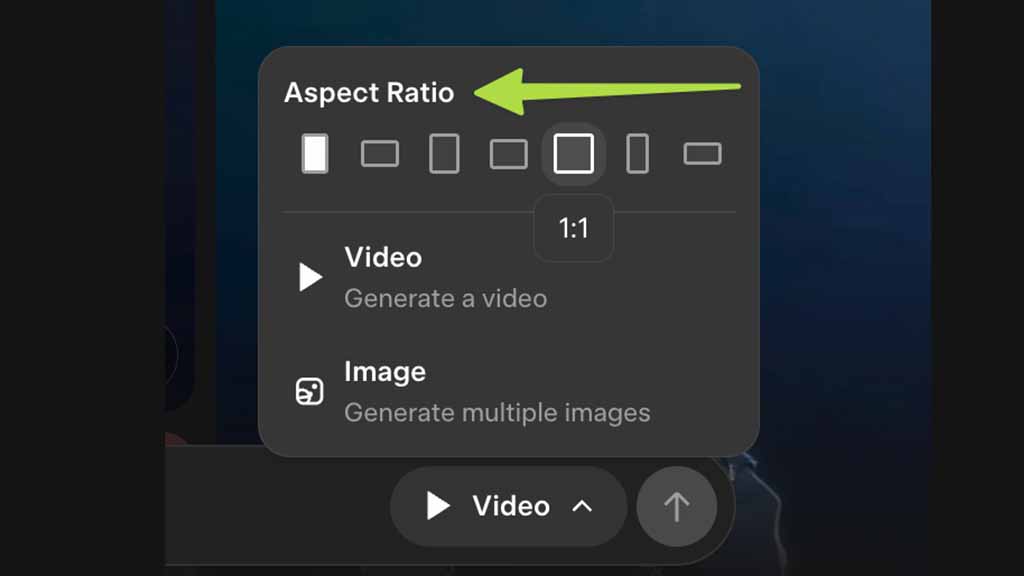
xAI Imagine is advancing with new options to improve the Grok video generation, and soon, it will get an aspect ratio feature to provide you with new video resolutions.
This new step addresses a common limitation in AI video generation, which limits the output to a single ratio. However, aspect ratio enables a more flexible resolution for social media formats like Instagram and TikTok, which is best featured in vertical orientations.
A screenshot shared by techdevnotes shows the new aspect ratio options, including 9:16, 4:3, and 16:9 covering portrait, standard landscape, and widescreen landscape video resolutions. Users will be able to tap and select a shape to lock on the desired aspect ratio.
Image source – @techdevnotes
Users can ask Grok to generate landscape and portrait images based on the description. However, a more specific way will allow users to get a whole new experience with Grok Imagine videos.
To use the Imagine feature, open the Grok app and navigate to the Imagine tab in the top bar. You can search through the pre-generated video library or start creating your own Imagine video from scratch. You can also use templates to turn your picture from the local gallery and edit it with AI.





