
xAI
You can now delete xAI Grok Imagine video

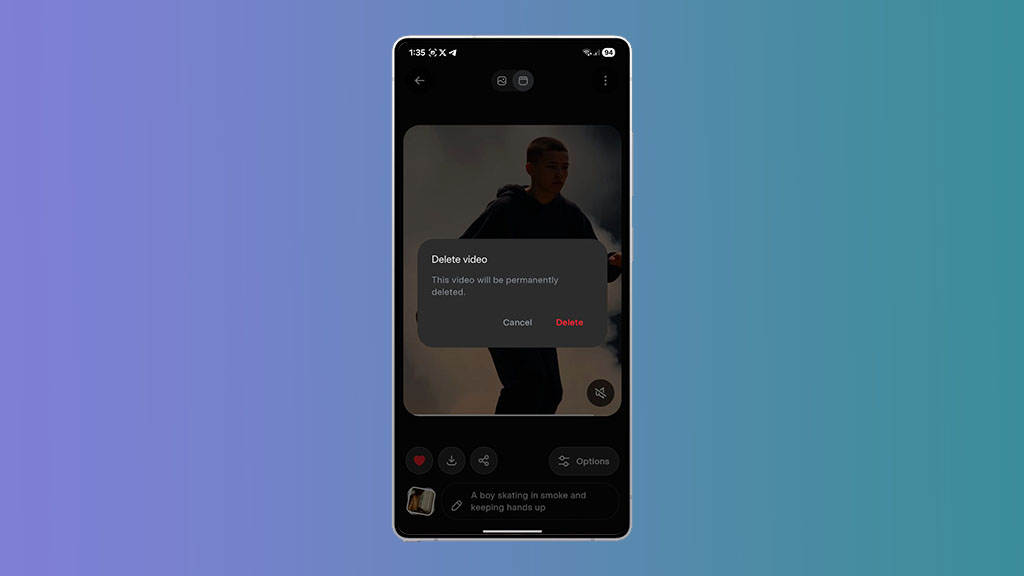
xAI has pushed a new update for Grok users and added an option to delete the generated video with the Imagine model. The Grok app enables users to create short videos with text descriptions. These videos are highly customizable with an edit option to improve the output.
When a user generates a video through text description or edits from the gallery, the output is automatically added to the favorite section. These generated videos can be removed from the favorites, but can’t be removed completely from your account.
However, the latest Grok Android app version v1.0.71 resolved this problem with a dedicated delete video option for the Imagine feature. After downloading the latest update, you will have to navigate to the video detail screen and tap on the three dots on the top right. Select the “Delete the video” option and tap on the Delete option to permanently delete the video.
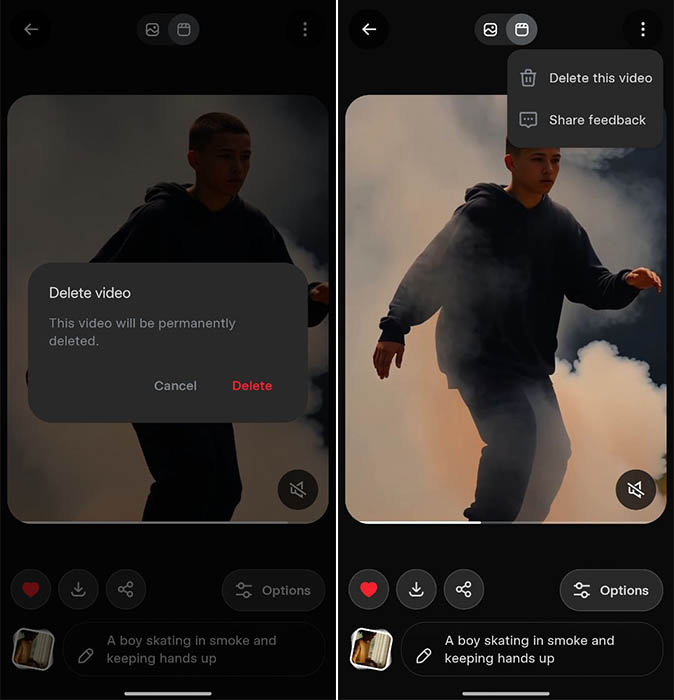
A later version of Grok has added an option to check the video generation history. For example, all of the redos and edits of a single prompt will appear in the form of dots above the video length bar. You can swipe left and right to change the video preview.
Additionally, xAI is no longer capping the video generation history from the detail screen. Therefore, you can access the entire history.
The Grok Android app has picked up pace, bringing new features such as video playback controls to play/pause and seek video timestamps. Furthermore, you can directly generate videos from a text description. The new delete Imagine video feature is available for the Grok Android app, and it may soon land on the iOS platform.





