xAI
xAI launches batch selection feature for Grok Imagine

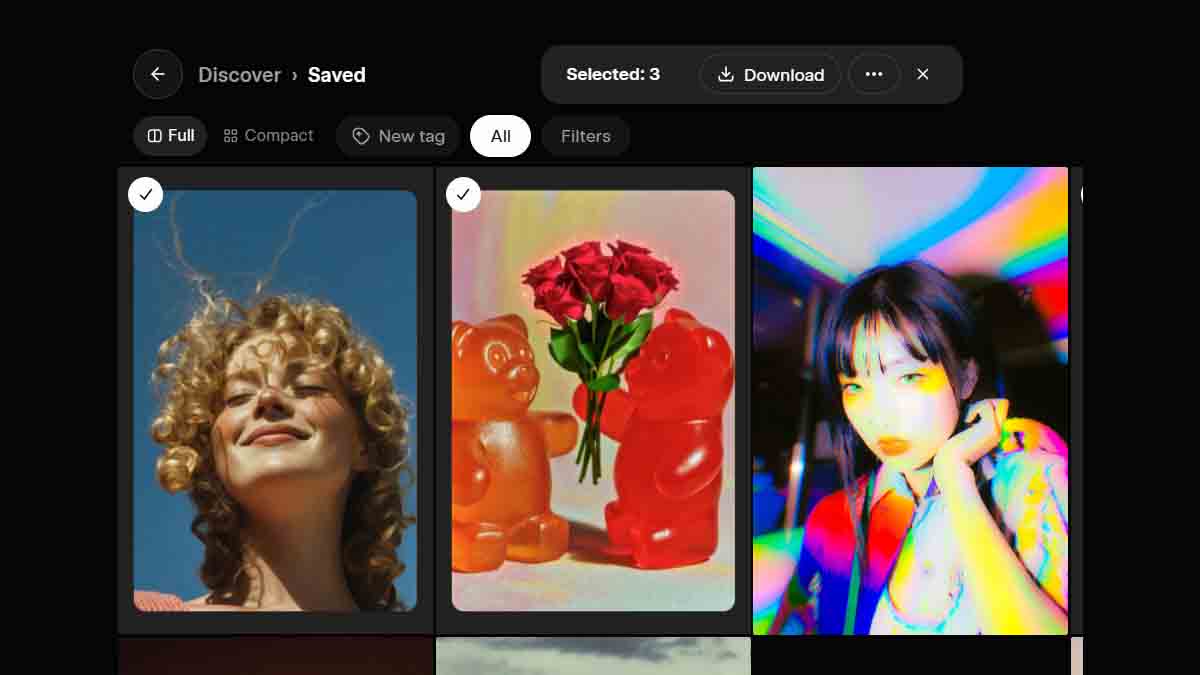
xAI has launched a batch selection feature for the Grok Imagine videos, allowing users to select multiple videos and images at once.
Prior to this release, users had to rely on a single selection to take action on a particular AI-generated content. This was quite an issue when it came to removing the saved videos.
That’s not it, xAI has recently introduced tags, which help you to organize the generated content. For example, you can tag videos under “Drawings.” The next time you open your saved videos library, it will show this tag at the top, and you can explore all of your drawing videos in one place. So, tags are pretty useful to clean the workflow and help you to categorize content.
New batch selection brings more power to tags. Suppose you have a library of 100 videos (minimum) or more, and these are generated based on different themes. In that case, you can organize the same category of videos with tags. Batch selection allows you to speed up the process and select all of the drawing videos and assign their tags at once.
Furthermore, batch selection now lets you download videos in groups, which was also limited to a single download. The simplified process has enabled users to get more control over their videos.
The new batch selection feature is available for all xAI Grok Imagine users on the Grok web and on more platforms.
xAI has recently made a major change for its users; the company has removed the free tier and introduced SuperGrok Lite for basic usage. Therefore, you will no longer be able to use Imagine for free.