
xAI
xAI Grok 4 is showing images in text results

xAI is rolling out a major improvement for Grok 4 models for Grok web users, mixing images to show interactive and more comprehensible answers.
This new change is available on Grok 4 and Grok 4 Fast models; all you need to do is search for a related query with details. For example, “Some of the most beautiful places in Texas,” and it will get into the research for the answer, combining information regarding the query and blending images.
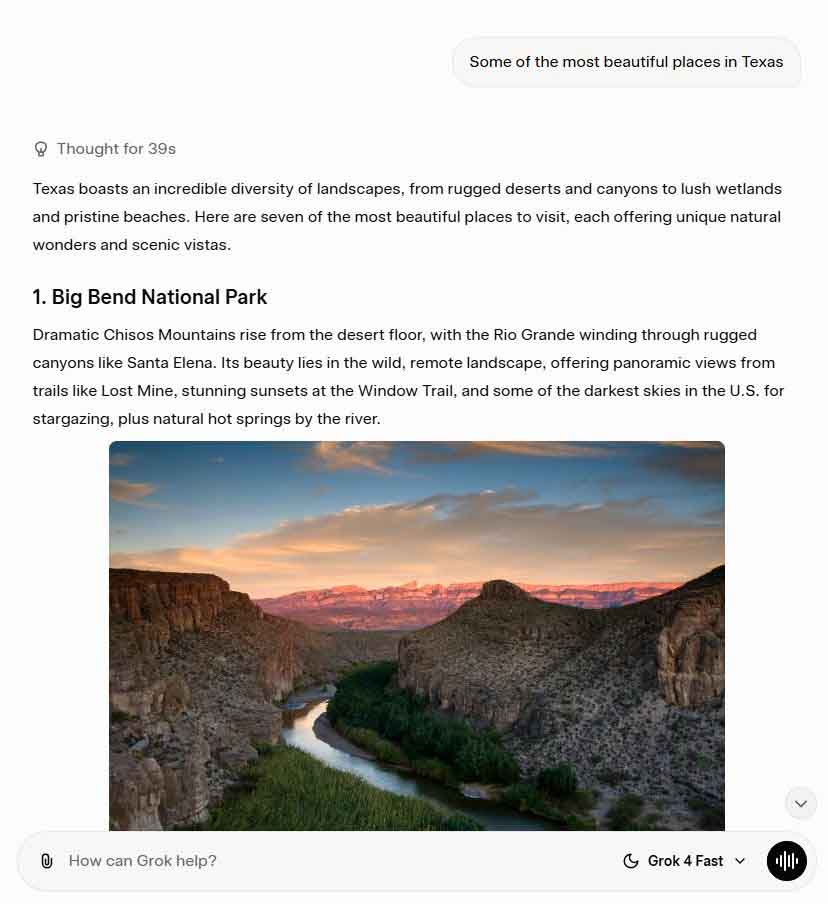
After thinking, Grok will present a well-defined result including text, headings, and images (with captions). To be mentioned, each of these images also has a source link, which is revealed as soon as you hover the mouse pointer over the selected picture. Importantly, images preview in full size to see details with one click. There, you can share the image link or view the image online.
The result shows all source links at the bottom, which can be revealed in one click. On the other hand, it will also suggest some related searches with quick links. This new upgrade aligns with Grokipedia, xAI’s new target to take on the online information.
The image support for Grok 4 responses is currently available on the Grok web, which may soon expand to mobile users.





