
xAI
Grok Imagine to get a create video button for mobile app


xAI is working on a new update for Grok Imagine to bring a create video button for the mobile app, which will work as a shortcut for turning images into videos. According to Techdevnotes, a new update will reorganize Grok Imagine’s home page and add a new button UI beside the prompt bar.
Imagine allows you to create short videos based on a text description. Once finalized, Grok takes a few seconds to create a video clip. Recently, xAI has made several improvements to the Imagine feature, such as improving the model’s fluency and accuracy to provide a visually refined experience with a new update.
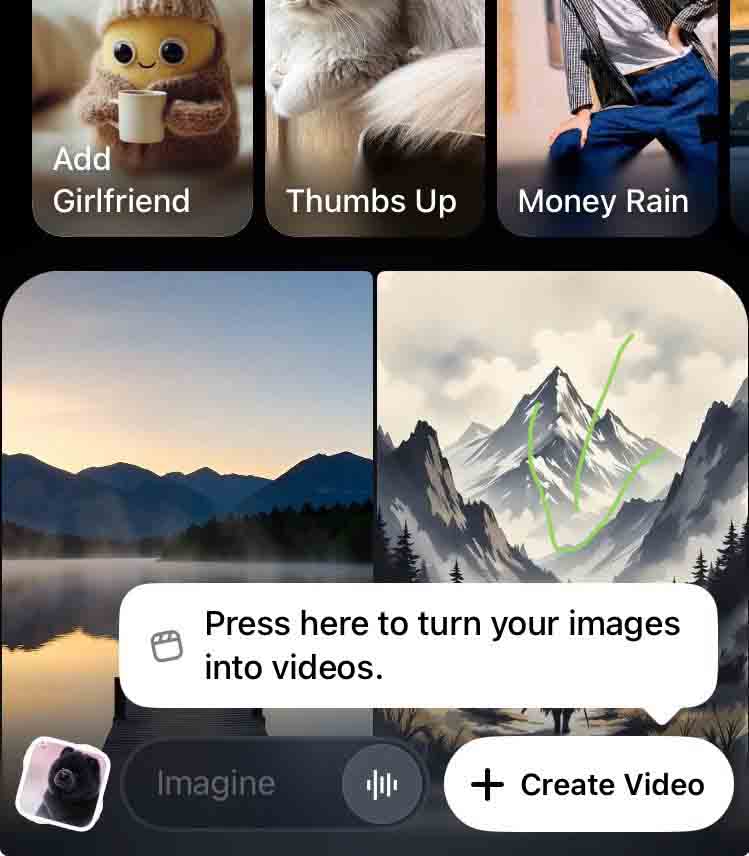
The home page also has a pre-set video mode enabled to watch the top users’ creations. Furthermore, there’s a template area on the top that will let you create some pre-defined prompt images, such as add a girlfriend, thumbs up, money rain, and more.
In terms of output quality, Imagine now allows you to upscale any video to HD quality with a tap of a button. Learn more below. For now, xAI is cooking the create video button, and its release for Grok users may take a week or so.





